
Artificial intelligence (AI), particularly generative AI, has become a hot-button topic among the writing community lately. From accusations of companies illegally scraping published works in order to train their language learning models (LLMs) to the plethora of completely-AI-generated books flooding digital bookstores, problematic usage of AI in writing abounds.
Publishers, agents, authors, and other writing industry professionals have issued written statements condemning the use of generative AI. Independent presses and literary magazines often refuse to publish AI-generated works and sometimes require writers to agree with a statement about not using AI to create any part of their work before they submit their short story or novel-length manuscript.
In a recent study, up to 85% of published novelists said they worry their future income will be affected by generative AI. That is no small number—a majority of writers are concerned that AI will negatively affect or even take over the writing industry.
In response, some writers are boycotting AI altogether. In this day and age, it can be difficult to avoid AI. This article lists 6 writing tools that are AI-free. These include word processors, word-counting tools, and other programs or apps that writers commonly use.
Note: This is not an exhaustive list by any means. These are some recent tools that have eschewed AI for various reasons and are helpful for writers. Please feel free to add more AI-free writing tools in the comments!
1. Novlr
Let’s start with Novlr, an up-and-coming online writing platform. With a promise to their users that they will not use AI, Novlr is a great choice for those looking for a writing-community-based platform. The platform has a free tier; however, writers looking for robust analytics and full features will have to pay subscription fees.
I’ll be up front with you that I wrote this article using Novlr, as it is my current writing platform of choice! I’m also a lifetime studio member and co-owner of Novlr (you can be too, with the lifetime subscription tier!).
Novlr has the ability to divide documents into sections and subsections, so you can split your manuscript into individual chapters or scenes. This helps with individual chapter word count data, plus it creates a handy table of contents to jump back and forth with.
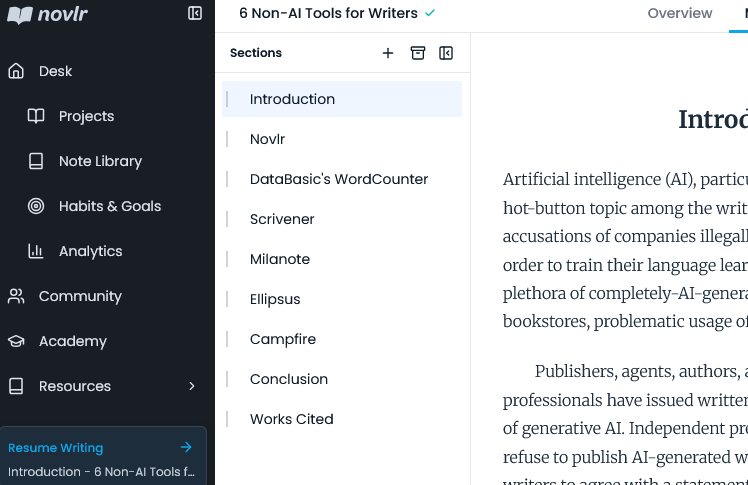
Exporting the full document from Novlr is quick and easy. You also have the option to share a link to your work with others.
Novlr is (as of this article’s publication date) still in beta testing, which means it is coming out with new features regularly. Check the roadmap to see what’s up-and-coming or even suggest your own ideas for future features!
2. WordCounter
DataBasic has several (free!) tools that can be handy for writers, but we’re going to focus on WordCounter for this list. With this online tool, you simply add a file or paste in text, and it generates a table of the most-used words and phrases (2- and 3-word phrases). It also creates a word cloud, in case you’re into visuals!
WordCounter skips basic words like “the” and “to,” showing you important repeated terms and phrases. This is crucial for writers to see what words they use (too) often. You might just find that you’re overusing “just” or “back” or “gaze” (GUILTY!).
I confirmed with the DataBasic crew that they do not use AI in any of their tools, so you can rest assured you’re not feeding your manuscript into an LLM.
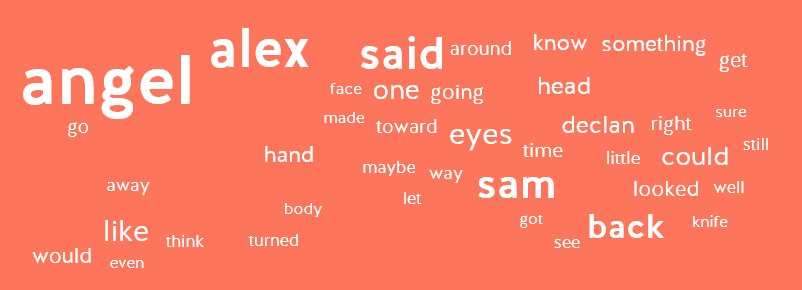
Here’s the word cloud that WordCounter generated from one of my unpublished manuscripts. As you can see, the character names are largest, meaning I used them most frequently; however, “like” and “back” are pretty big, too—I definitely overuse these words in my writing! In fact, I checked with a couple other manuscripts, and those terms also landed near the top of the list. This tool has helped me become a better writer by showing me which words I tend to overuse.
3. Scrivener
Next up, let’s talk about the legends over at Literature & Latte! Scrivener is an offline writing platform with a ton of features. In fact, some people say they are overwhelmed with the sheer amount.
With Scrivener, you can split your manuscript into sections and subsections, create character sheets, write out a timeline, save your backstories and research, plot your entire novel, and export the full file as different types of documents, among many other things.
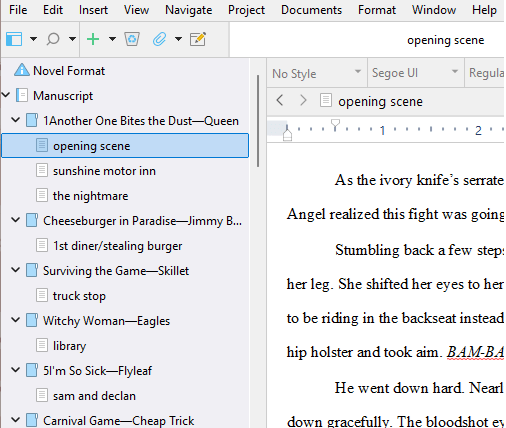
The great thing about Scrivener is that it’s an offline program, meaning you don’t have to connect to the web to use it. This ensures there is no AI at work! Your manuscript is safely stored on your own computer.
Now, Scrivener is not a free product—you have to buy a license—but you can download a free trial to test it out before committing. Don’t be alarmed by the many functions! There are guides to help you understand how to use the program.
4. Milanote
The next AI-free product in the list is Milanote, a quirky whiteboard app with a lot of features. Milanote is an online organizing tool that can be used for a variety of purposes, but let’s focus on just the writing tools for now.
You can create a project moodboard in Milanote with images, links, videos, and text. You can visually plan and plot your novel using one of several built-in templates. There are also ready-made templates for character profiles and worldbuilding. Here’s an example of Milanote’s Three Act Structure template:
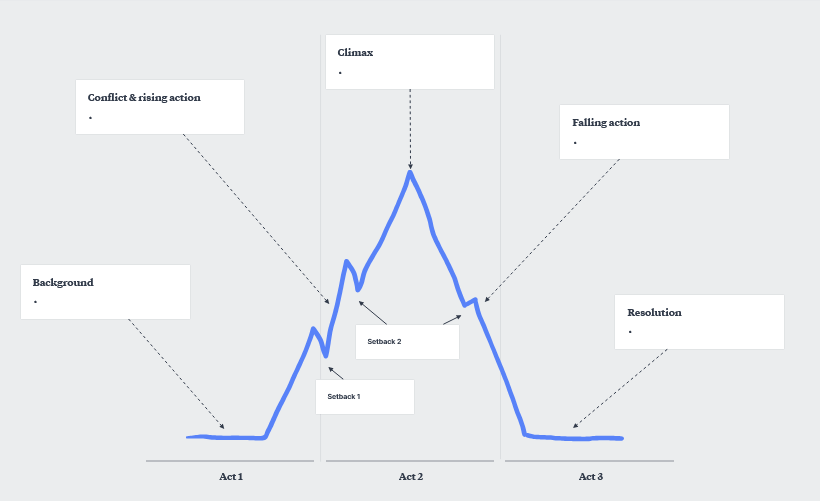
While you can create simple boards on Milanote for free, you must pay a subscription fee for unlimited access.
5. Ellipsus
Ellipsus is another online writing platform that is staunchly AI-free. It’s called a “collaborative writing tool,” as one of its main features is being able to share drafts with other people, who can collaborate and leave comments. Ellipsus also boasts many color themes to choose from—and they’re so beautiful!
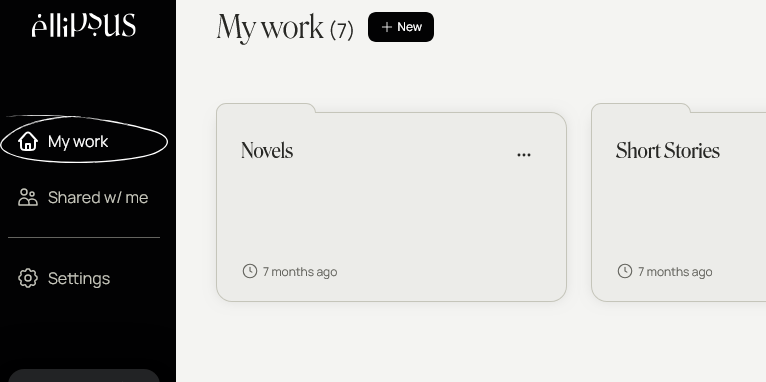
Ellipsus uses a folder system to organize individual writing files. You can easily create multiple drafts using this platform, meaning it grows with you as your manuscript develops. There are formatting options for changing headings, fonts, and styles.
The base platform is free to use; however, there is a subscription to upgrade to “Ellipsus Plus,” which offers more features and customization. Ellipsus also boasts a robust Discord community where users can interact, ask questions, and suggest features and updates.
6. Campfire
Our final AI-free tool for this list is Campfire, an online platform where you can read, write, and publish books. Its main draw is the modules feature. The writing software includes 18 different worldbuilding modules to create and fill in, such as Characters, Religions, Timeline, Magic, Languages, Research, and Arcs, along with the manuscript itself. You can even create fictional languages with Campfire!
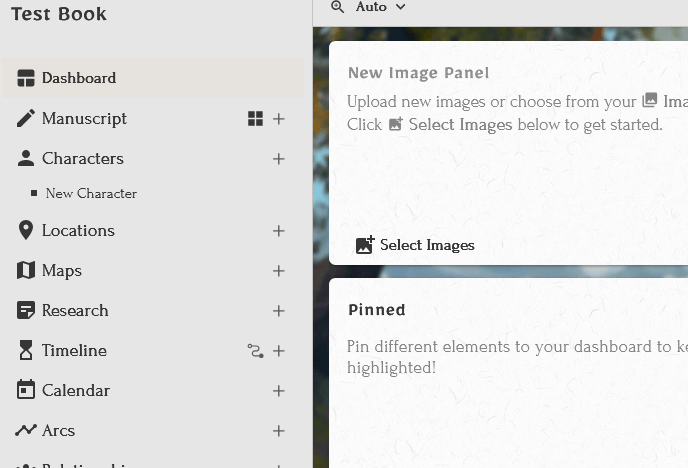
This app encourages community and collaboration. People you share it with have the ability to read, comment on, or edit the material you create. You can also publish your work through Campfire and read others’ works.
You are able to create and store a limited amount of information in each module for free; for unlimited access, you’ll need to pay a subscription fee.
In conclusion…
As generative AI encroaches on the writing community, some companies are taking an anti-AI stance. As a writer who is against the use of generative AI in writing books, I couldn’t be happier. I hope to see more of this!
I may add to this list as I discover and try out more AI-free writing tools. Please let me know your favorite AI-free programs and tools in the comments!


